Software store · Video & Creative
Movie Maker Hollywood Pro
A whole film studio on your PC: edit, animate, build 3D scenes and deliver. Movie Maker Hollywood Pro puts a timeline video editor, compositing and visual effects, a 3D and CGI studio, 2D animation with automatic lip-sync, screenwriting and production planning, sound design and scoring, and delivery up to a cinema DCP in one Windows app. It works offline, keeps your projects on your computer and is a one-time purchase.
- Price
- $20, one time
- Works on
- Windows (Mac coming soon)
- Status
- Available now
What it does
- A multi-track video editor with color tools, a real audio mixer and frame-exact export
- Compositing: masks, rotoscoping, motion tracking, keys, corner pin and motion blur
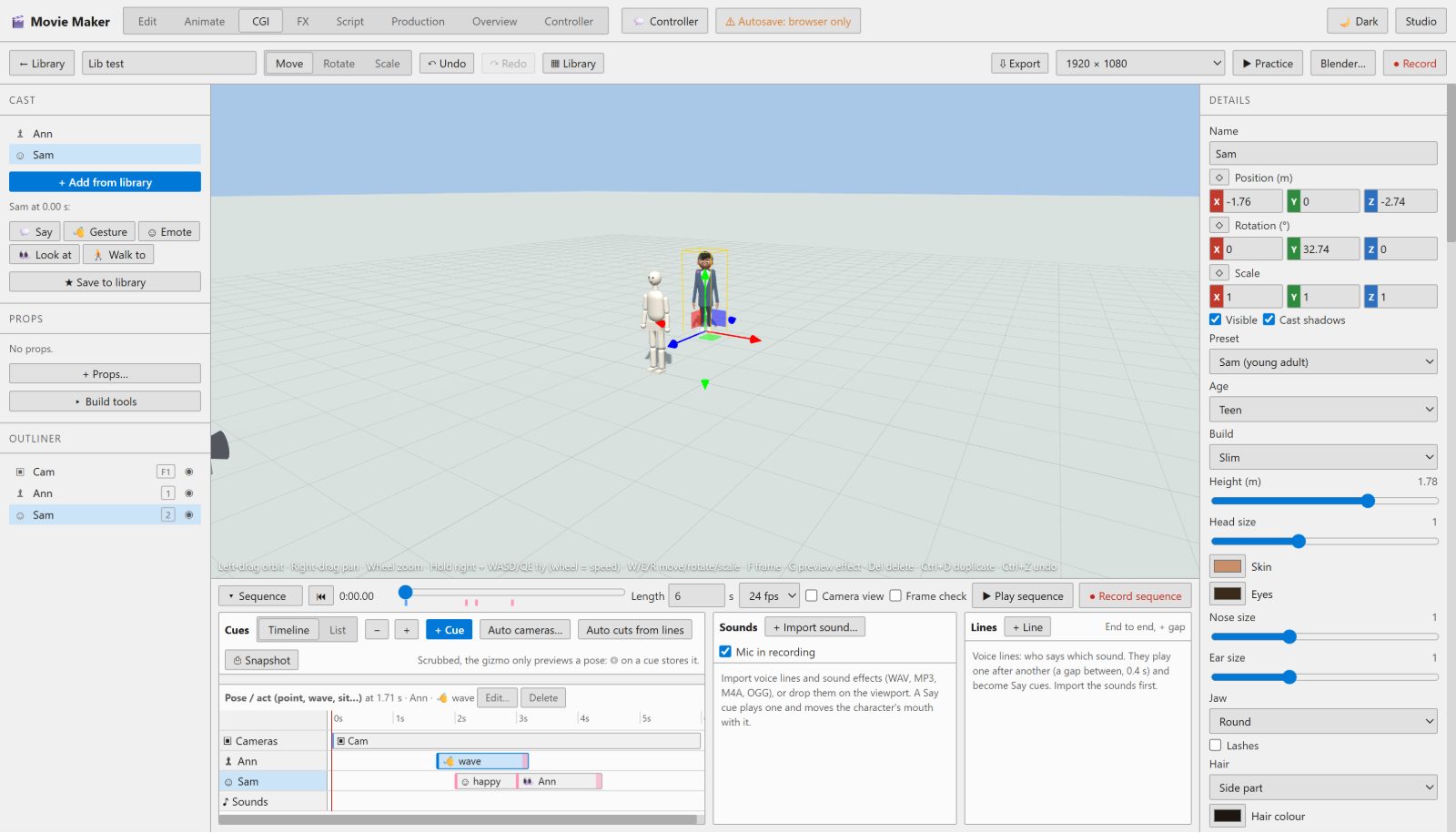
- A 3D studio with characters that act, real camera lenses, lights and a modeling kit
- Film-quality rendering and physics, experimental path-traced stills, plus optional Blender and Unreal Engine renders
- 2D animation: rigged puppets, automatic lip-sync, hand drawing and a multiplane camera
- Screenwriting, script breakdown, production plans and quality checks, from script to screen
- Synthesized sound effects, a score composer and loudness-correct mixing
- Delivery from web MP4s to ProRes masters, captions and a cinema DCP
- Autosave, crash recovery and verified exports, so work isn’t lost
- Works offline, keeps projects on your computer, one price and no subscription
See it
Everything inside
One app, the whole production. Each part has its own page with the details.
Video Editor
The Edit tab is where a film comes together: a multi-track timeline with the moves professional editors use, color tools, a real audio mixer and an export that renders every frame exactly, even with the window in the background.
Compositing & VFX
Put things where they weren’t: cut out a subject, pin a picture into a screen, make titles follow a moving shot or put a 3D character into real footage. Every effect is ordinary clip data you can change, and it renders the same in preview and export.
3D & CGI Studio
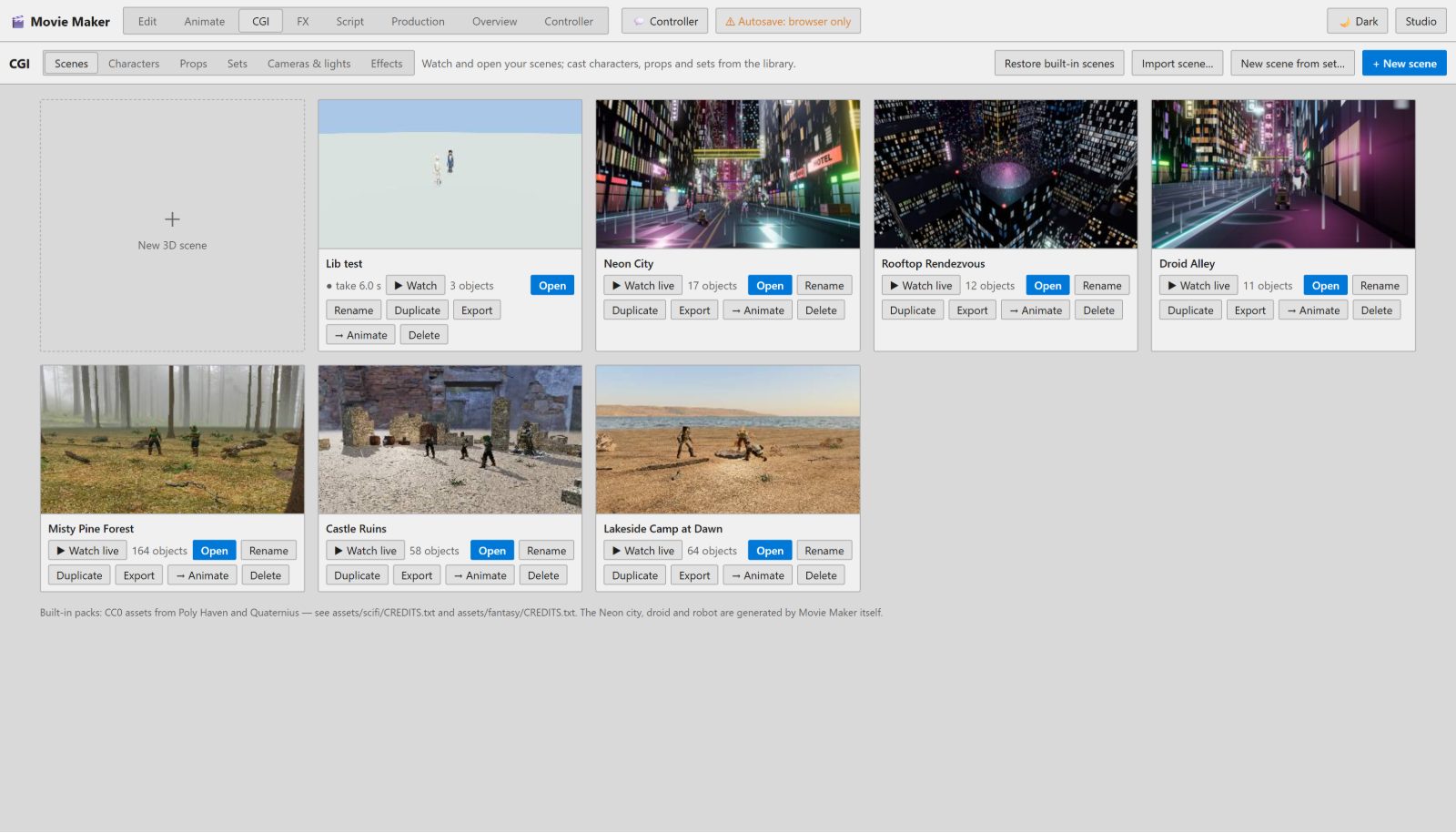
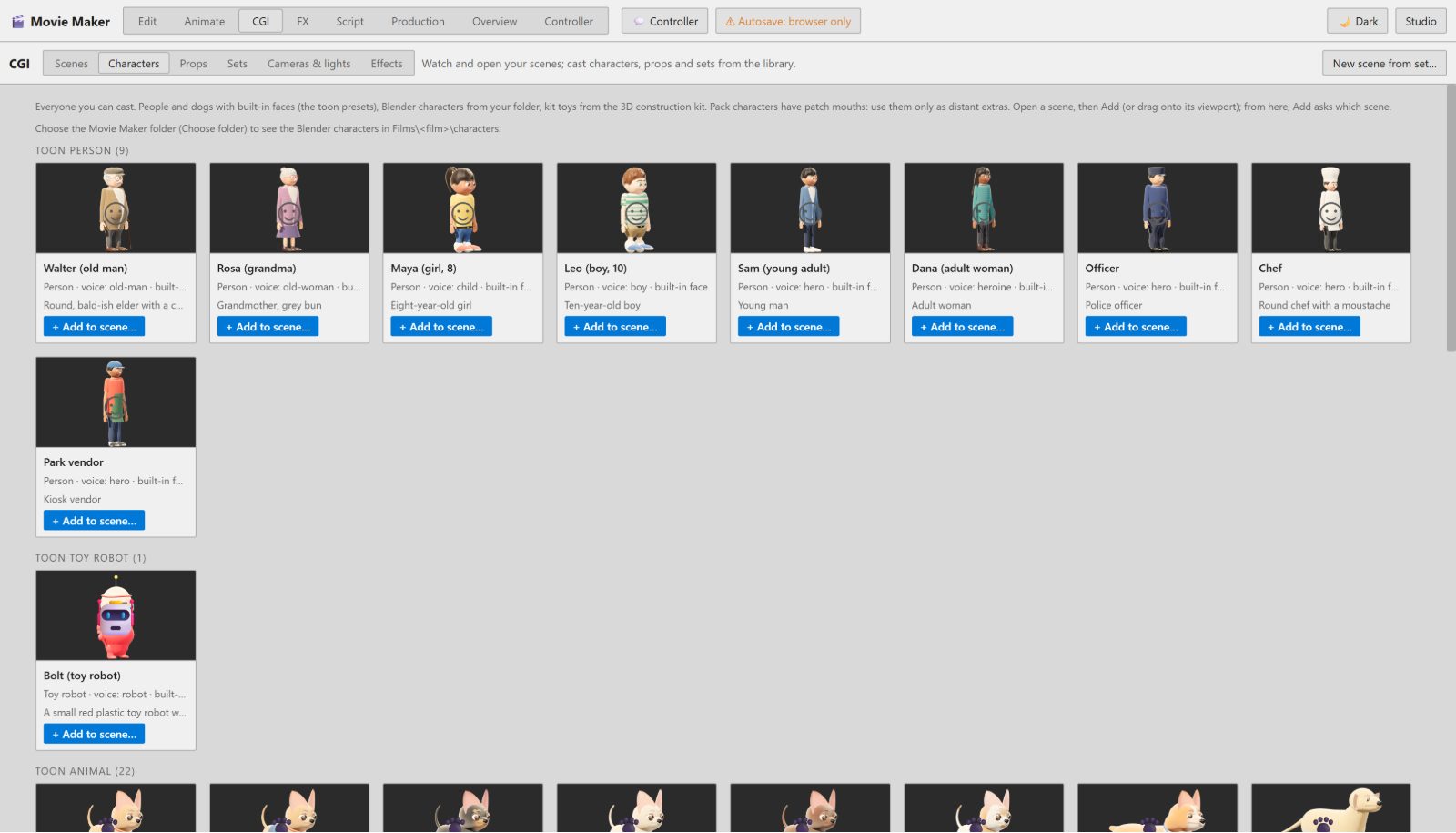
The CGI tab is a 3D studio built for storytelling. Start from a library of scenes, characters, sets and props or build your own, direct the acting on a timeline, frame it with real lenses and render it at film quality.
Rendering & Physics
Render dialogue scenes fast, hero shots beautifully and simulations exactly the same every time. When a shot needs more, hand it to Blender or Unreal Engine without leaving the studio.
2D Animation
Make a cut-out series, a storybook film or hand-drawn effects in the Animate tab. Puppets lip-sync themselves from the dialogue, drawings and puppets live in the same scene, and everything renders frame-exact.
Script to Screen
Most editors start once the footage exists. Movie Maker starts with the idea: notes become a screenplay, the screenplay becomes a breakdown and scenes, and a production plan walks the film through every stage to delivery, with you approving each checkpoint.
Sound & Music
A film is half sound. Movie Maker synthesizes effects on your computer, spots them to the action, composes a score that follows your cuts and mixes it all to the right loudness for TV or the web.
Delivery & Mastering
Finish once, deliver anywhere: a web MP4 for YouTube, a ProRes master for a distributor, captions for streaming, a broadcast package, or a Digital Cinema Package for a theater screening.
Automation
The future of production is one person directing a whole pipeline while software does the busywork. Movie Maker is built that way: anything you can click, a script or an AI assistant you run yourself can do, and every creative decision still waits for your approval.
How it compares
Honest side-by-sides with the tools people usually compare it to, with dated prices.
Movie Maker Hollywood Pro vs Premiere Pro
Premiere Pro is an industry-standard editor that you rent by the month. Movie Maker Hollywood Pro costs $20 once and adds a 3D studio, 2D animation and script-to-screen tools that Premiere doesn’t include. Premiere is still the safer pick for paid editing work and teams.
Movie Maker Hollywood Pro vs DaVinci Resolve
DaVinci Resolve is a superb free editor and the color-grading standard, and Resolve Studio adds more for $295 once. Movie Maker Hollywood Pro is lighter on color and audio post, but it builds what Resolve doesn’t: 3D scenes with acting characters, 2D puppet animation and a script-to-screen pipeline.
How it works
- 1
Install it
Download the Windows installer and run it. It adds a desktop shortcut and a Start menu entry.
- 2
Choose a project folder
Pick a folder for your films. Projects, autosaves and exports go there.
- 3
Make something
Cut a video in the Edit tab, animate in Animate, build a 3D scene in CGI or start from a script in Production.
- 4
Export and share
An MP4 for YouTube and social media, or a professional master for a festival or theater.
Want help with your video?
Our video editing, animation and 3D services use the same tools. We can make the video for you, or set the app up and show you how.
Professional Video Editing Services
Send us your footage and get back a polished video: cut, color-corrected, mixed, captioned and branded, ready for your website, YouTube or social media.
Animated Explainer Videos
Short animated videos that explain what you do in under two minutes: script, voice, illustration and animation, in your brand’s style.
3D Animation, CGI & Product Renders
Photoreal 3D product renders and CGI animation: show products from every angle, inside and out, before they exist, without a photo shoot.
Custom Video Editing Software & Automation
Software that edits for you: automatic captions, templated videos from data, batch trimming and branding, and editing pipelines built around how your team works.
YouTube Video Editing & Channel Setup
Edited YouTube videos with the pacing, graphics and thumbnails that keep people watching, plus channel setup, chapters and descriptions written to be found.
Motion Graphics & Logo Animation
Animated logos, intros, lower thirds and title packages that make every video look like it came from the same professional studio.
Questions
Is it really a one-time price?
Yes. One payment of $20 for one computer, with no subscription.
Does it work offline?
Yes. The studio never needs the internet. Your projects, media and exports stay on your computer.
Is there a Mac version?
It’s coming. The Windows version is available now; ask below and we’ll email you when the Mac version is ready.
Do I need Blender, FFmpeg or Unreal Engine?
No. Editing, animation, 3D, rendering and MP4 export work out of the box. The free add-ons (run by a small worker that needs Node.js, also free) unlock extras such as ProRes masters, automatic captions, Blender renders and simulations. A setup guide comes with the app.
Will my computer run it?
Any recent Windows 10 or 11 PC runs the editor. For 3D and film-quality rendering a dedicated graphics card helps a lot; it was tested on a mid-range NVIDIA GTX 1660 Ti.
Is it beginner-friendly?
Simple edits stay simple: import, cut, add titles and export. The deeper tools are there when you want them, and the built-in Overview tab shows where every button is.
Why does Windows show a warning when I install it?
New apps show a SmartScreen notice until Windows has seen enough installs. Click More info, then Run anyway.
Is it the same as Windows Movie Maker?
No. Movie Maker Hollywood Pro is made by Wisconsin Tech Shop and isn’t affiliated with Microsoft. Windows Movie Maker was discontinued in 2017.
Questions before you buy?
Ask us anything about the app or setup. We reply within one business day.
- Big projects and small ones are all welcome
- Fixed-price quotes, no surprise invoices
- You own your code, data and accounts
- A client portal to track progress, invoices and payments
- Rooted in Wisconsin, serving businesses nationwide
Rather talk it through? Call us